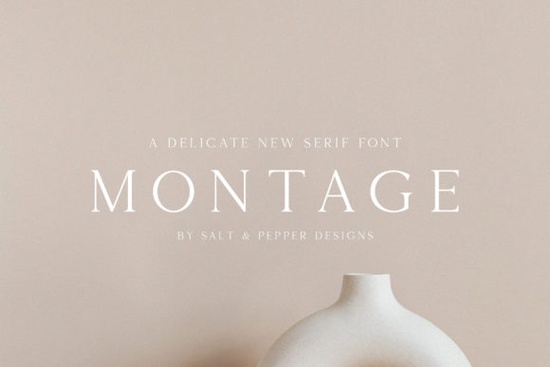
If you're working on a design that calls for understated elegance think wedding invitations, luxury packaging, or high-end branding Montage Font might be exactly what your project needs. It’s a thin, authentic serif typeface with refined letterforms that bring a sense of sophistication without overwhelming the layout. Unlike bolder serifs that dominate the page, Montage adds subtle character while keeping your message clear and readable.
What makes Montage stand out is its balance between classic serif structure and modern minimalism. The delicate strokes and open spacing give it an airy, almost calligraphic feel ideal for designers who want to convey quality and attention to detail. Whether you’re creating social media graphics for a boutique brand or custom stationery for a client, this font helps your work look intentional and polished.
When should you use a thin serif like Montage?
Thin serifs work best in contexts where visual restraint speaks louder than bold statements. Consider using Montage for:
- Invitations and announcements – weddings, galas, or product launches where tone matters
- Luxury branding – logos, labels, or packaging for skincare, fashion, or artisanal goods
- Editorial layouts – magazine headlines, quote overlays, or book covers needing a refined touch
- Digital mockups – website banners or app screens aiming for a clean, upscale aesthetic
Because of its light weight, Montage performs best at larger sizes and on light backgrounds. Avoid using it for body text or in low-resolution print it’s designed to shine as a display font, not for dense paragraphs.
How does Montage compare to other elegant serifs?
If you’ve explored Creative Fabrica’s serif collection, you may have come across fonts like Desevon, which offers a slightly bolder presence with more pronounced serifs. While Desevon works well when you need a bit more visual weight without losing grace, Montage leans into delicacy. Both are excellent choices depending on your project’s mood Montage for whisper-soft elegance, Desevon for confident refinement.
You can browse and compare these options directly on Montage Font to see how they render in different contexts. Testing them side by side with your actual copy often reveals which one aligns better with your brand voice.
Tips for pairing Montage with other fonts
Since Montage is so light and ornate, it pairs beautifully with neutral, geometric sans-serifs. Think clean fonts like Helvetica Neue, Futura, or even free alternatives like Inter or Lato. The contrast between Montage’s organic curves and a structured sans-serif creates visual harmony without competing for attention.
Avoid pairing it with other thin or script fonts this can make your design feel cluttered or hard to read. Instead, let Montage be the accent and support it with something sturdy and simple.
Who benefits most from using Montage?
Print-on-demand sellers can use Montage to elevate product listings for mugs, posters, or greeting cards targeting premium markets. Small business owners launching a new skincare line or boutique service will find it adds instant credibility to labels and marketing materials. Crafters and hobbyists creating handmade wedding favors or custom gift tags can achieve a professional finish without complex design skills.
Even if you’re not a professional designer, Montage is intuitive to work with in tools like Canva, Adobe Express, or Affinity Publisher. Just remember: less is more. One well-placed headline in Montage often has more impact than multiple decorative elements.
Before you download: check your usage rights
Like all Creative Fabrica fonts, Montage comes with a commercial-use license when downloaded through their platform perfect if you’re selling products that feature the font. Always review the specific license terms after purchase, especially if you’re embedding the font in apps, templates, or logos for clients.
For ongoing projects, consider a Creative Fabrica subscription. It gives you access not only to Montage but also to thousands of other fonts, graphics, and design assets including complementary options like Montage Font itself for a flat monthly fee.
Quick checklist before using Montage Font:
- Use it at large sizes (24pt or higher for print, 32px+ for web)
- Pair with a simple sans-serif for balance
- Stick to light or neutral backgrounds for best legibility
- Avoid using it for long paragraphs or small captions
- Confirm your license covers your intended use (personal vs. commercial)
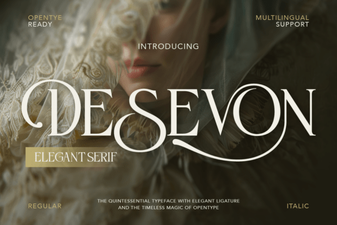 Desevon Font: Creative Ideas & Download Guide
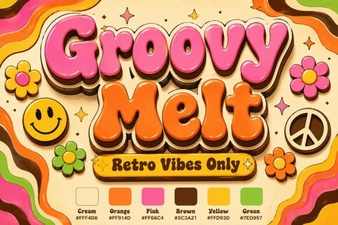 Groovy Melt Font for Creative Digital Designs
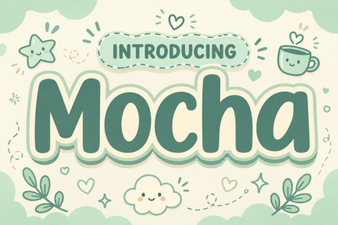 Motcha Font: Creative Design Ideas and Applications
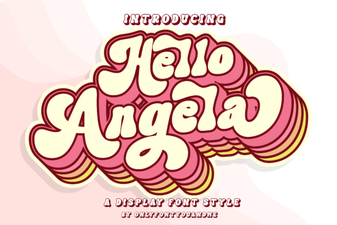 The Hello Angela Font for Creative Typography Projects
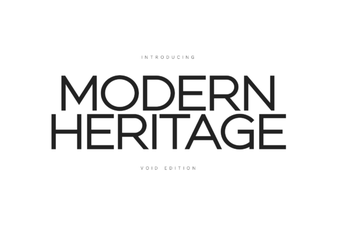 Modern Heritage Fonts: Classic Design for Today
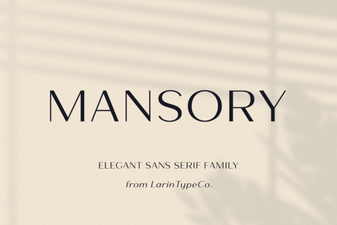 Modern Projects Using Mansory Font